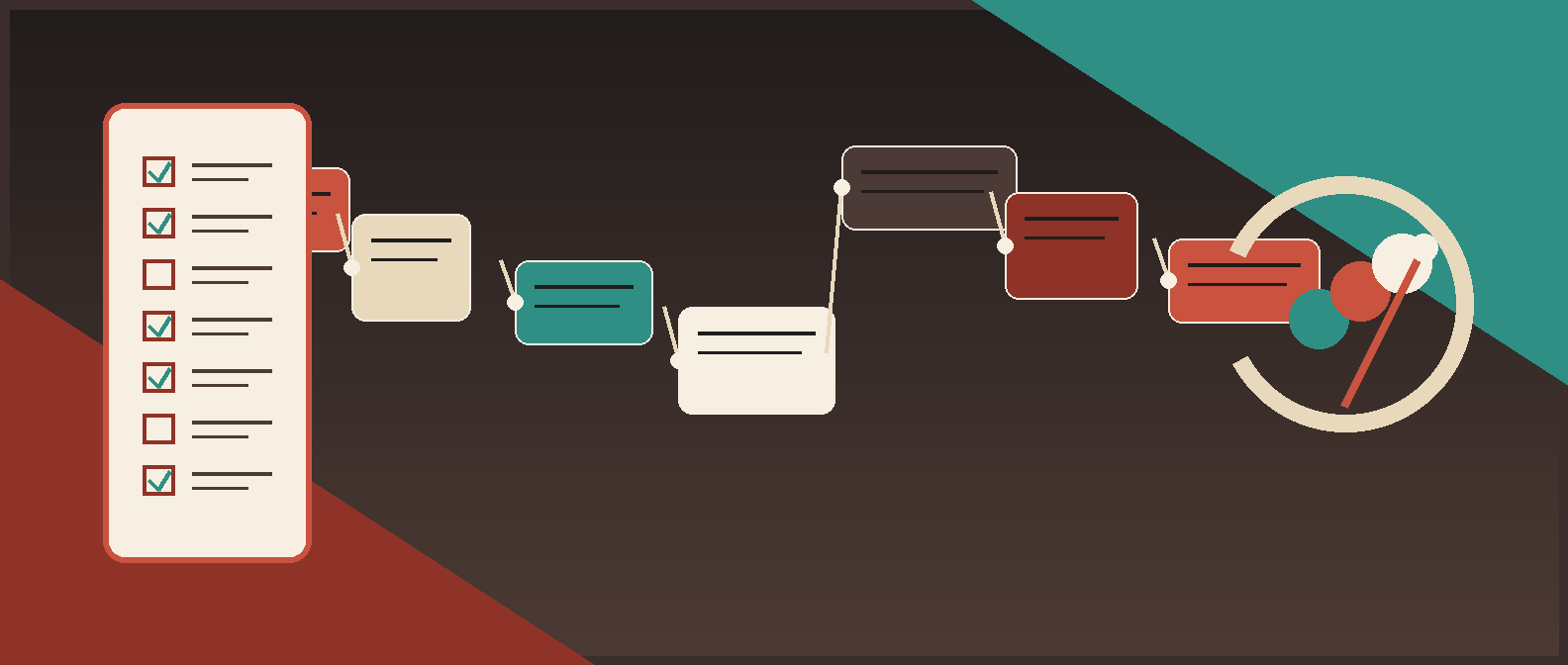
Invoice approval automation is not ready because the flow runs once in a demo. It is ready when the ugly cases behave properly: the wrong approver does not get the invoice, the hold actually fires, the duplicate is blocked, the human review queue catches low-confidence extraction, and the audit trail tells you exactly what happened.
That is what acceptance testing is for. Not theatre. Proof.
Short answer
To write acceptance tests for invoice approval automation before launch, start from the real approval policy and exception map. Then write scenario-based tests that prove routing, holds, approval limits, segregation of duties, low-confidence review, ERP posting, failure handling, and audit evidence. If a test cannot show expected outcome and required evidence, it is not an acceptance test. It is wishful thinking with a spreadsheet.
If your AP process is still messy, use the accounts payable automation readiness scorecard first. If you are still comparing tool categories, read accounts payable OCR software. If your document workflows also touch procurement or legal approvals, the broader governance patterns in best contract management software and best contract management software 2026 are relevant too.
What a good acceptance test should prove
For invoice approval automation, acceptance tests should answer five blunt questions:
- Does the invoice go to the right place?
- Do policy and data issues trigger the right hold or exception?
- Do humans stay in control where judgment or risk is high?
- Can only the right roles override, approve, or release?
- Is the resulting evidence good enough for finance, audit, and debugging?
Microsoft's workflow testing guidance says to test all possible patterns and outcomes, not just whether the flow runs. Oracle's payables documentation shows why that matters in finance: approval actions, holds, validation, and force-approval privileges are explicit system behaviors, not vague business intentions. GAO and COSO push the same way from the controls side: role matrices, workflow diagrams, segregation of duties, and control documentation have to line up with the real process.
The acceptance test framework
Use this sequence before launch.
| Step | What to do | Output |
|---|---|---|
| 1. Freeze the workflow scope | Pick one invoice lane, entity, and approval model | Test scope |
| 2. Translate policy into testable rules | Approval limits, PO rules, duplicate rules, required fields, override rules | Acceptance criteria set |
| 3. Build a realistic invoice pack | Clean, messy, duplicate, exception-heavy, and rejected invoices | UAT data pack |
| 4. Map roles and permissions | AP analyst, approver, controller, admin, integration user | Role matrix |
| 5. Write scenario tests | Given / when / then plus required evidence | Test case library |
| 6. Run end-to-end in a safe environment | Include routing, review, posting, and failure paths | Execution results |
| 7. Review defects and rerun | Fix only after root cause is understood | Retest log |
| 8. Sign off against launch gates | Business owner, AP owner, systems owner | Go / no-go decision |
Step 1: Freeze the workflow scope before anyone writes tests
Do not test "invoice automation" as a giant blob. Test one bounded production lane:
- PO-backed invoices for one entity
- non-PO invoices below a specific threshold
- recurring vendor invoices for one department
- invoice exceptions above a certain amount
The narrower the scope, the more honest the test. If you test every variant at once, you will learn nothing except that finance has too many invoice edge cases. Which, fair enough, but that was already obvious.
Step 2: Turn policy into acceptance criteria
Most bad UAT starts with screenshots. Start with policy instead.
For each invoice lane, define:
| Policy area | Example acceptance criterion |
|---|---|
| Required fields | Invoice cannot enter approval without vendor, invoice number, date, amount, and entity |
| Approval thresholds | Invoices above $10,000 route to controller after department approval |
| PO matching | PO invoice with mismatch stays out of final approval until exception is resolved |
| Duplicate control | Same vendor plus invoice number plus amount triggers duplicate exception |
| Exception ownership | Low-confidence extraction routes to AP review queue, not approver inbox |
| Override privilege | Only named finance roles can force approve or release specific holds |
| Posting gate | Invoice does not post to ERP until approval status is final |
| Audit evidence | Approval history captures actor, timestamp, action, and reason |
If you cannot write the policy as an observable condition, your workflow is not ready. Fix that before launch. The software is not the problem yet.
Step 3: Build a test pack that includes ugly invoices
Do not let the vendor or internal build team choose the data alone. Your test pack should include:
- standard recurring invoices;
- invoices with missing PO numbers;
- invoices with tax or total mismatches;
- duplicate or near-duplicate invoices;
- low-quality scans or extraction misses;
- invoices above approval limits;
- invoices that should be rejected;
- invoices that should time out or escalate;
- invoices that require manual hold release or exception review.
NIST's AI RMF playbook emphasizes collecting operational use cases for system testing and monitoring. That matters here. If your test data does not resemble production mess, your acceptance test is a fiction.
Step 4: Write tests across the full control path
Each acceptance test should include:
- scenario name;
- business rule being tested;
- input invoice and starting state;
- user role or system actor;
- expected workflow outcome;
- expected evidence.
Use this template:
| Field | What to capture |
|---|---|
| Test ID | AP-UAT-01 |
| Scenario | Non-PO invoice under threshold routes to manager |
| Given | Valid invoice, approved vendor, amount below threshold |
| When | Invoice enters approval workflow |
| Then | Invoice routes to manager queue and not to controller |
| Evidence | Queue screenshot, audit log, status change, posting blocked until approval |
The evidence column matters more than people think. Microsoft explicitly recommends recording actual results against expected outcomes. In finance automation, that evidence should usually include queue status, audit history, approval timestamps, and downstream posting state.
Sample invoice approval automation acceptance tests
These are the tests most teams should run before launch.
| Test ID | Scenario | Expected outcome | Evidence to capture |
|---|---|---|---|
| AP-UAT-01 | Clean non-PO invoice below threshold | Routes to standard approver only | Queue assignment, approval chain, final status |
| AP-UAT-02 | Invoice above approval limit | Adds higher-authority approver or escalates per policy | Approval path, approver identity, timestamps |
| AP-UAT-03 | PO invoice with quantity or amount mismatch | Stops straight-through processing and creates exception | Hold or exception code, owner assignment, status |
| AP-UAT-04 | Duplicate invoice submitted | Invoice is blocked from approval or payment path | Duplicate flag, audit event, user notification |
| AP-UAT-05 | Low-confidence extraction on key field | Routes to AP review queue before approval | Review queue record, confidence signal, no auto-post |
| AP-UAT-06 | Missing required attachment or field | Workflow refuses approval submission | Validation error, blocked status, reason |
| AP-UAT-07 | Approver timeout or no response | Escalates, reassigns, or returns to queue per policy | Timeout event, reassignment log, alert trail |
| AP-UAT-08 | Unauthorized user attempts override or force approval | Action is blocked | Permission error, security log, unchanged invoice state |
| AP-UAT-09 | Approved invoice posts to ERP | Correct fields sync only after final approval | ERP record, status sync, field mapping check |
| AP-UAT-10 | Rejected invoice is corrected and resubmitted | Version history stays intact and workflow restarts correctly | Resubmission record, audit trail, final route |
Add control-validation tests, not just process tests
This is where a lot of AP launches go sideways. The workflow works, but the controls are sloppy.
Run a separate control-focused pass:
| Control area | What to verify |
|---|---|
| Segregation of duties | Submitter, approver, override user, and payment releaser are not collapsing into one uncontrolled role |
| Workflow change access | Only approved admins can modify routing rules, thresholds, or exception logic |
| Hold behavior | Holds trigger during validation and are not silently bypassed |
| Override security | Force-approve or hold-release privileges are tightly scoped |
| Audit completeness | System logs who changed what, when, and why |
| Downstream protection | ERP posting or payment release cannot happen before final approved state |
Oracle's payables documentation is useful here for two reasons. First, it treats user-defined holds as configurable rules evaluated during invoice import and validation. Second, it treats force approval as a secured action requiring a specific privilege. That is exactly how you should think about acceptance testing: not just "does the flow work?" but "can the wrong person do the wrong thing?"
Human review should be tested as a product feature
If OCR, extraction, or AI classification is part of the AP workflow, the human review path is part of launch scope.
Test:
- whether low-confidence fields are visible to reviewers;
- whether reviewers can correct data cleanly;
- whether corrected values are captured in the audit log;
- whether the invoice returns to the right path after review;
- whether business exceptions go to a named owner instead of dying in a queue.
NIST AI RMF 1.0 says processes for human oversight should be defined, assessed, and documented. For invoice approval automation, that means you should be able to point to the exact queue, exact owner, and exact decision point where a human takes over.
Use launch gates, not vague sign-off
Do not end with "UAT completed." That phrase means almost nothing.
Use a launch gate like this:
| Launch gate | Pass condition |
|---|---|
| Happy path routing | 100% of in-scope clean invoices route correctly |
| Exception routing | All defined exception types trigger correct hold, queue, or escalation |
| Approval limits | Threshold logic works for every tested amount band |
| Permission controls | Unauthorized override attempts fail |
| Audit evidence | Every tested invoice has complete action history |
| ERP posting | No invoice posts before final approval; approved invoices sync correctly |
| Defect threshold | No unresolved high-severity defects; medium defects have owner and workaround |
| Business sign-off | AP owner, finance owner, and systems owner approve launch |
If one of those gates fails, the answer is not "go live carefully." The answer is "not yet."
Red Brick Labs POV
The mistake is not launching with too few automated tests. The mistake is launching without proving the operating model.
For invoice approval automation, the operating model is the thing:
- who can approve;
- who can override;
- what gets held;
- what gets reviewed;
- what gets posted;
- what gets logged;
- who cleans up the failures.
That is why Red Brick Labs usually recommends that first launches optimize for controlled throughput, not maximum autonomy. Let the automation validate, route, summarize, and prepare. Keep the high-risk judgment and privileged actions under explicit human control until production evidence says otherwise.
CTA: use the checklist before launch week gets expensive
If your team is about to launch invoice approval automation, use an acceptance testing checklist before the workflow touches your ERP, approver chain, or payment process. Red Brick Labs helps finance teams turn messy UAT into a proper launch gate with realistic invoice packs, control validation, role testing, and evidence that stands up to audit and post-launch debugging.
Book a 15-minute consultation if you want the working version of the invoice approval automation acceptance test checklist adapted to your ERP, approval matrix, and exception model.
Get the invoice automation launch checklist: Red Brick Labs helps finance teams turn invoice automation into a controlled production workflow with approval rules, exception queues, audit evidence, and launch gates that survive real usage.
Source notes
The main patterns behind this article came from public guidance across workflow testing, AP approval controls, internal control design, and AI oversight:
- Microsoft Learn recommends testing all possible patterns and outcomes, recording expected and actual results, and running a final check with real users rather than trusting build-only testing.
- Microsoft's end-to-end automation guidance reinforces role-based testing and full workflow verification from request through approval, deployment, execution, and reporting.
- Oracle's payables documentation shows that invoice approval systems treat holds, approval actions, privilege-restricted force approval, and validation-time control logic as first-class workflow behaviors.
- GAO's FISCAM guidance explicitly calls for role and permission matrices, approval workflow diagrams, and controlled workflow modification.
- COSO's implementation guidance calls out segregation of duties and risk-and-control matrices, whether the controls are manual or automated.
- NIST's AI RMF and playbook reinforce that human oversight should be defined, assessed, documented, and tested with operational use cases rather than idealized examples.
Sources reviewed:
- Testing strategy for a Power Automate project | Microsoft Learn
- Project end-to-end scenario | Power Automate | Microsoft Learn
- Using Payables Invoice to Pay | Oracle Fusion Cloud Financials 25D
- User-Defined Holds on Payables Invoices | Oracle Cloud Readiness
- Federal Information System Controls Audit Manual (FISCAM) 2023 Exposure Draft | GAO
- COSO Internal Control - Integrated Framework: An Implementation Guide
- Artificial Intelligence Risk Management Framework (AI RMF 1.0) | NIST
- NIST AI RMF Playbook - Measure