
Short answer
The best OCR software for your invoices is the candidate that correctly captures required fields, makes exceptions easy to review and passes accounting integration tests on your documents. Use the same sample and acceptance criteria for every candidate.
For product capabilities and source links, start with our invoice OCR software comparison. If you are still deciding between a packaged AP application and a custom build, use the AP software buying guide. This page explains the pilot after you have a shortlist.
1. Select a sample finance can explain
A starting sample of 100 to 300 invoices is a suggested pilot size, not a statistically validated benchmark. Choose documents across recurring suppliers, scanned and digital PDFs, languages, currencies and page counts. Include known exceptions and credit notes.
Reserve a separate holdout set that the vendor has not used to configure its system. Record sample counts by invoice type so a good result on common invoices cannot hide repeated failures on a smaller category.
Protect supplier and payment data according to your company's policy. Obtain permission before sending real invoices to a vendor and confirm its retention and deletion terms.
2. Build an answer sheet
Have finance record the correct required fields for each invoice. Resolve ambiguous fields before scoring, and distinguish printed values from decisions finance supplies, such as GL coding.
| Field or decision | What to record | Acceptance rule to agree |
|---|---|---|
| Invoice identity | Supplier ID, invoice number and date | Required identity fields match the approved answer |
| Amounts | Subtotal, tax, total and currency | Values reconcile under finance's documented rounding rule |
| Line items | Description, quantity, unit price and line total | Score only the fields the workflow actually uses |
| PO reference | Printed PO number and expected record | Missing or conflicting references go to the right reviewer |
| Accounting assignment | Entity, cost center or GL code | A rule or reviewer provides the assignment with a recorded reason |
Set thresholds before seeing results. Finance should decide which failures stop the pilot; do not adopt a vendor's headline accuracy percentage as your acceptance rule.
3. Run each candidate through the same workflow
Process the same sample without giving one vendor easier documents. Record configuration and model versions, then repeat the holdout test after material configuration changes.
Google's Invoice Parser documentation, Microsoft's invoice model documentation and Amazon's AnalyzeExpense documentation describe invoice extraction outputs. Checked October 1, 2026. Field coverage and limits still need testing against the version and region you select.
Measure these results separately:
| Measure | How to calculate or record it | Why finance needs it |
|---|---|---|
| Required-field correctness | Correct required fields divided by all expected required fields, including missing outputs | Avoids inflated scores that omit failures |
| Invoice pass rate | Invoices meeting every required field rule divided by all tested invoices | Shows how many complete records are usable |
| Review effort | Median and slowest review times, with correction reasons | Reveals work remaining after extraction |
| Exception routing | Test cases routed to the expected owner and hold reason | Checks whether failures reach someone who can resolve them |
| Posting correctness | Accepted test records with correct field mapping and no duplicates | Checks the accounting outcome |
| Cost | Charges plus measured review effort and estimated integration/support work | Compares the full workflow |
4. Test failures before connecting live posting
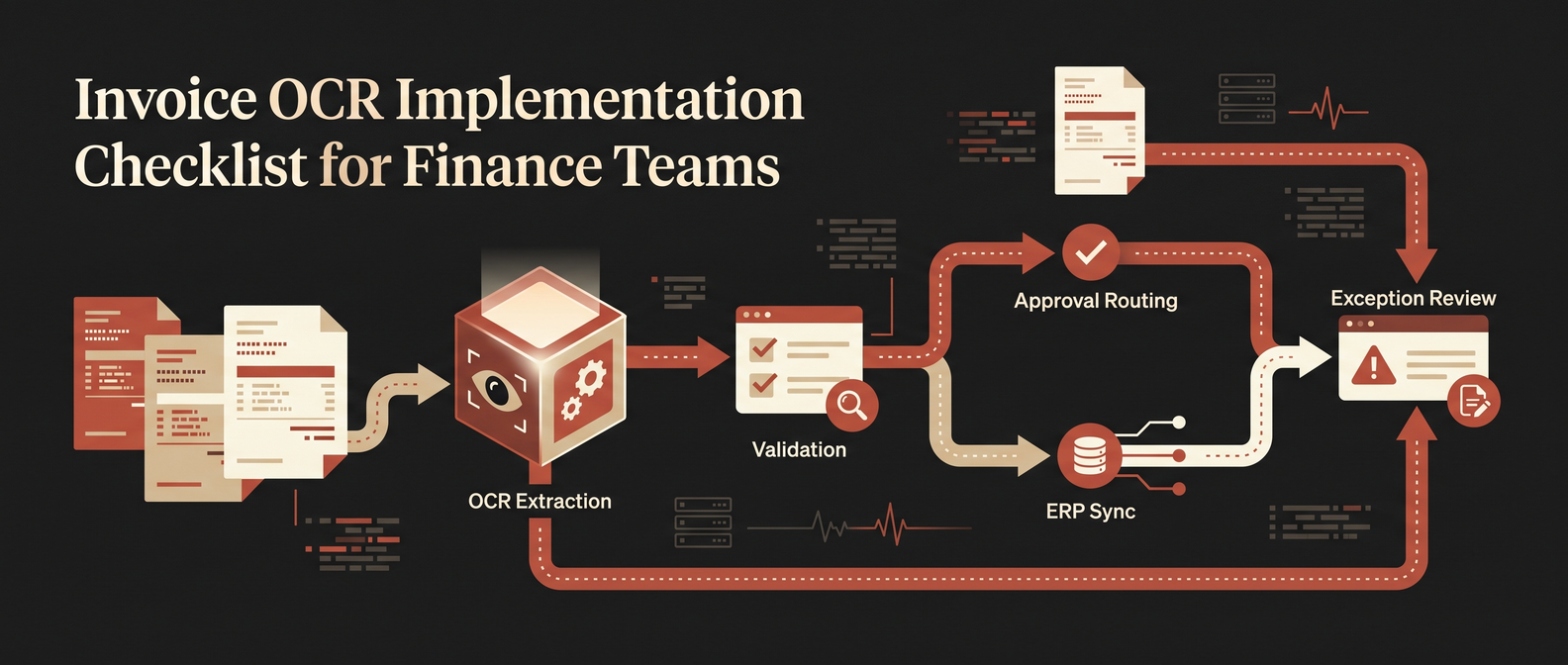
Workflow illustration from our invoice OCR implementation checklist. Use these stages to organize the pilot; the illustration is not a product screenshot or test result.
Use an accounting sandbox or isolated test records. Include a repeat attachment, a credit note, an unreadable scan, a new supplier, a PO mismatch and a failed ERP write.
For a failed write, confirm that retrying cannot create two payables. For missing fields, confirm that the invoice remains on hold and a reviewer can see why. A high extraction score does not excuse a duplicate posting or an unreviewed supplier change.
The invoice OCR QA checklist and implementation checklist cover the handoff. Use the vendor evaluation scorecard to record findings.
5. Make the decision from the results
Select a candidate only if finance accepts the required-field results and exception behavior, engineering accepts the integration, and someone owns ongoing support. If no candidate passes, narrow the invoice segment or improve the review workflow and retest.
As a hypothetical example, a candidate could extract totals correctly but confuse two suppliers with similar names. Keep vendor matching under review until the test shows that the approved supplier record is selected consistently. This is an example of an acceptance decision, not client evidence or a vendor benchmark.
Keep the answer sheet and failure cases for regression checks after model updates or new supplier layouts. Start live use with a defined invoice segment and human approval before expanding.
Discuss an invoice OCR pilot: Share your accounting system, invoice mix and current review process with Red Brick Labs. We can discuss test cases and the integration work a pilot needs.
FAQ
How many invoices should an OCR pilot use?
Start with enough invoices to cover the layouts and exceptions that matter to your team. A 100 to 300 invoice sample is a practical starting suggestion; larger or more varied operations may need more.
Can I compare vendors by OCR accuracy alone?
No. Measure required-field correctness, complete invoice pass rate, review time, exception routing and posting behavior separately.
Can OCR approve invoices automatically?
Extraction alone does not establish approval. Any automatic approval needs finance-approved rules, tested matching and exceptions, and audit evidence. Keep payment authorization separate from the extraction test.