Invoice approval automation is usually sold as a speed play. Get invoices in, extract the fields, route the approval, update the ERP, and stop chasing budget owners in email.
That story is too clean. Finance teams do not need faster chaos. They need a controlled approval workflow that can tell the difference between a clean recurring invoice, a PO variance, a duplicate, a vendor-bank change, and a low-confidence OCR read that should never get near payment-ready status.
Use this checklist before buying an AP platform, building a Power Automate flow, or connecting an AI agent to your ERP.
Short answer
Finance teams are ready for invoice approval automation when invoice intake is controlled, required invoice fields are defined, PO and non-PO routing rules are documented, exception owners are named, payment-risk controls are explicit, ERP handoff permissions are scoped, and baseline metrics exist for cycle time, approval aging, exception rate, rework, and posting errors. If those pieces are missing, automation will not fix AP. It will just move ambiguous invoices around faster.
If you need a broader AP maturity view, start with the Accounts Payable Automation Readiness Scorecard. If you already know approvals are the first lane, use this checklist, then convert the answers into the Invoice Approval Automation Requirements Template. For the extraction layer, pair it with the Invoice OCR Vendor Evaluation Scorecard and the invoice OCR implementation checklist.
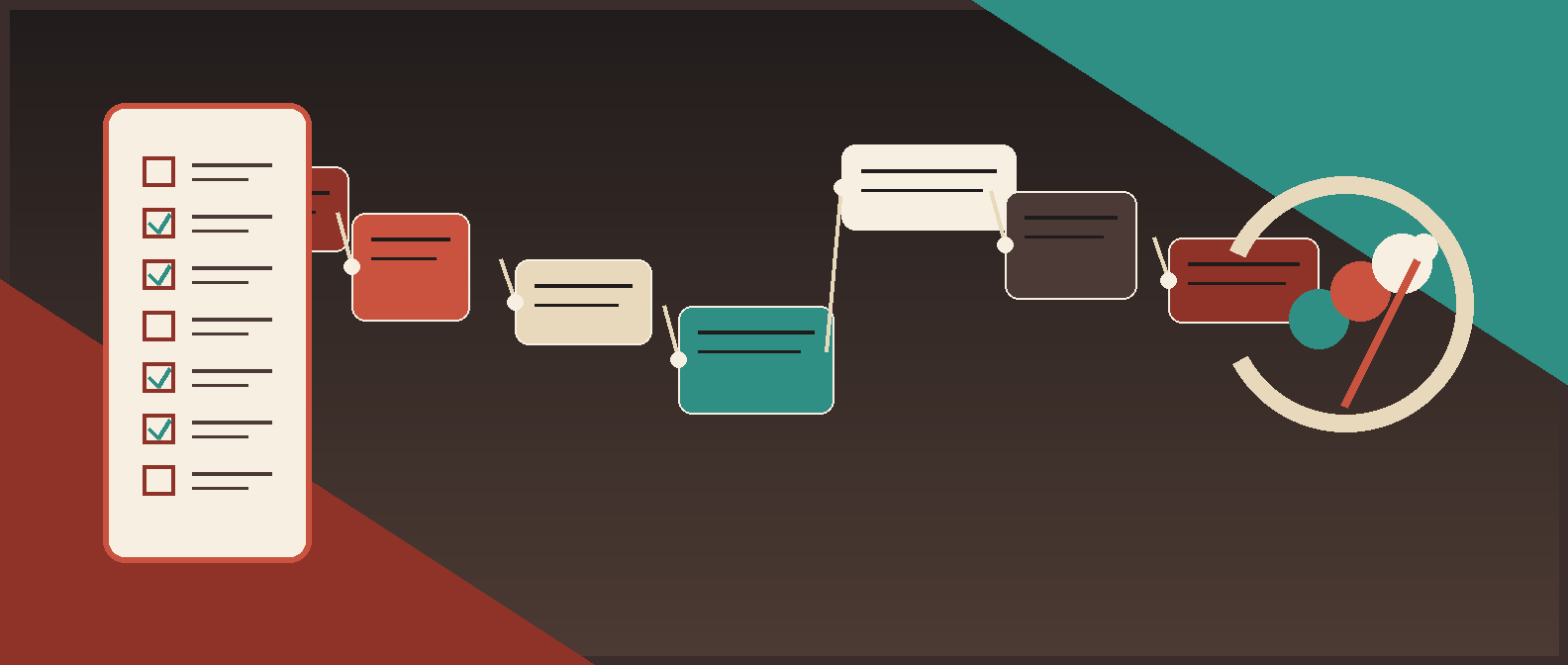
The checklist at a glance
Use this as the linkable asset. A finance team should be able to run a 60-minute workflow audit from this table.
| Readiness area | Pass/fail question | Owner | Automation decision |
|---|---|---|---|
| Intake control | Do invoices enter through approved channels with duplicate prevention? | AP manager | Automate only approved intake lanes |
| Required fields | Are approval-critical invoice fields documented and testable? | Controller + AP lead | Extract only fields that drive routing, controls, and ERP handoff |
| Vendor data | Can the workflow match vendors and detect risky changes? | AP/vendor master owner | Human review for new vendors and bank-detail changes |
| PO match logic | Are PO, receipt, tolerance, and variance rules defined? | Procurement + AP | Auto-route clean matches; exception-route mismatches |
| Non-PO routing | Are thresholds, budget owners, and department rules documented? | Controller | Route by policy, not inbox folklore |
| Exception handling | Does every common exception have an owner, SLA, and close reason? | AP manager | Build the exception queue before the happy path |
| Payment controls | Are approval, payment-ready status, and payment release separated? | Controller/treasury | Keep risky payment actions human-controlled |
| ERP handoff | Are read/write permissions, status updates, rollback, and logs scoped? | Accounting systems owner | Start with draft/status updates before broad posting rights |
| Human review | Are confidence thresholds and review queues defined? | AP lead | Review low-confidence and high-risk invoices |
| Measurement | Do baseline metrics and pilot targets exist? | Finance lead | Launch only when success can be measured |
Why this matters now
AP pressure is not hypothetical. IOFM reported that invoice processing speed declined sharply between summer 2025 and winter 2025/2026: the share of organizations processing invoices in under a week fell from 80% to 52%, while invoices taking more than 15 days rose from 5% to 25%. Slow approvals hit supplier trust, accrual quality, discount capture, and close pressure.
Payment risk is moving in the other direction. AFP reported in 2025 that 79% of surveyed organizations experienced attempted or actual payments fraud activity in 2024. The FBI's business email compromise guidance specifically calls out fake or changed vendor invoice instructions and recommends verifying changes in account numbers or payment procedures.
The invoice data environment is also getting more structured. The European Commission adopted the VAT in the Digital Age package on March 11, 2025, with progressive rollout through 2035 and expanded room for e-invoicing and digital reporting. In the United States, DBNAlliance is pushing an open B2B e-invoicing exchange framework. Even if your finance team still handles PDFs today, the direction is clear: structured invoice data, traceable approvals, stronger controls, and fewer "just forward it to AP" workflows.
Red Brick Labs POV: invoice approval automation should be treated like a finance control system first and an AI workflow second. Speed is useful only when the system knows when to stop.
The readiness checklist
Score each item as green, yellow, or red.
- Green means the rule is documented, owned, and testable.
- Yellow means the workflow works in practice but depends on tribal knowledge or manual cleanup.
- Red means the process is ambiguous, unmanaged, or unsafe to automate.
If more than two high-risk areas are red, do not launch invoice approval automation yet. Run a readiness sprint first.
1. Intake control
Automation starts at the point where invoices enter the business.
| Check | Green looks like | Red flag |
|---|---|---|
| Approved intake channels | AP inbox, vendor portal, procurement system, or controlled form is named | Invoices arrive through personal inboxes, Slack, shared drives, and forwarded threads |
| Attachment rules | Accepted file types, missing attachments, statements, credit memos, and supporting docs are handled | The workflow cannot tell an invoice from a statement or packing slip |
| Duplicate prevention | Exact and near-duplicate checks happen before approval routing | Duplicate checks happen only after payment or during close |
| Intake ownership | AP owns triage and intake exceptions | Nobody owns the invoice until an approver complains |
Microsoft's Power Automate approval documentation is a useful generic model: a source item triggers an approval, approvers respond, and the workflow updates the underlying record. For AP, the source item must be clean before the approval request exists.
Readiness test: pull the last 50 invoices. If the team cannot identify the canonical source, attachment state, duplicate status, and intake owner for each one, intake is not ready.
2. Required invoice fields
OCR is not readiness. Field discipline is readiness.
| Field group | Approval use | Review trigger |
|---|---|---|
| Supplier identity | Match approved vendor and route vendor-risk exceptions | New vendor, fuzzy match, vendor ID conflict |
| Invoice identity | Detect duplicates and stale invoices | Missing invoice number, repeated number, old date |
| Amounts | Validate subtotal, tax, freight, discount, and total | Total mismatch, unusual amount, tax inconsistency |
| PO and receipt | Confirm authorized spend and delivery | Missing PO, closed PO, missing receipt, variance |
| Accounting | Assign entity, cost center, GL, project, location, class | Invalid code, low-confidence value, policy mismatch |
| Approval inputs | Identify budget owner, requester, threshold, department | No approver found, self-approval, threshold breach |
| Payment-risk signals | Spot bank-detail changes, unusual terms, urgent payment instructions | New remit-to, changed payment details, rush request |
APQC's accounts payable benchmark set tracks metrics such as cost to perform AP per invoice and cycle time from invoice receipt to payment transmission. Those benchmarks are only useful if your workflow captures the fields needed to explain cycle time, rework, and exceptions.
Readiness test: define the minimum field set required to approve, record, pay, and audit the invoice. If finance cannot agree on that field set, the OCR vendor comparison is premature.
3. Vendor master and payment-risk data
Vendor data is where invoice automation can quietly become dangerous.
Check for:
- Duplicate or stale vendor records.
- Parent/subsidiary confusion.
- Missing tax IDs or remit-to details.
- Unclear new-vendor onboarding.
- Inconsistent vendor IDs across ERP, procurement, and AP tools.
- Bank-detail change controls.
- Out-of-band verification rules.
The FBI's BEC guidance is blunt: criminals often impersonate trusted vendors and ask for invoice or payment changes. An automated approval workflow should not treat a changed remittance instruction as a formatting detail. It should freeze the payment-ready path and route the item to a named human owner.
Readiness test: sample 20 vendors from recent invoices. If AP cannot verify vendor identity, active status, and payment-change policy without manual archaeology, do not automate vendor-sensitive approvals yet.
4. PO-backed invoice logic
PO invoices should be easier to automate only when the match rules are explicit.
| Rule | Define before automation |
|---|---|
| PO status | Open, closed, cancelled, partially received, wrong entity |
| Receipt status | Whether two-way or three-way match is required |
| Tolerance | Amount, percentage, quantity, tax, freight, or category variance |
| Line matching | Quantity, unit price, description, service period, partial shipment |
| Variance ownership | Buyer, requester, procurement owner, AP reviewer, controller |
| Clean-match handling | Auto-ready, sampled review, or approver notification |
SAP Concur's invoice approval routing documentation shows why this matters: approval workflows can include different routing options, custom steps, rules, cost object approvers, and self-approval controls. The platform can support the logic, but finance still has to define the policy.
Readiness test: take 10 PO-backed invoices with variances. If the team cannot explain who owns each variance and what evidence they need, the PO lane is not ready for automation.
5. Non-PO approval routing
Non-PO invoices need a different readiness test because the PO is not carrying the original spend approval.
Define:
- Approval thresholds by amount.
- Entity, department, location, project, or cost center rules.
- Category-specific routing for legal, software, contractors, marketing, facilities, or professional services.
- Required requester or budget owner.
- Whether approvals are sequential or parallel.
- Self-approval restrictions.
- Escalation when no approver is found.
- Controller, CFO, or board-level threshold.
Oracle NetSuite's approval routing documentation points to the basic inputs most teams eventually need: assigned roles, supervisors or approvers, transaction types, and approval limits. Coupa's invoice API shows the same operational reality from an integration angle, with actions for adding approvers, removing approvals, restarting approvals, revalidating tolerances, and retrieving invoice attachments.
Readiness test: give the team five non-PO invoices from different departments. If AP needs to ask around to find the approver, routing rules are not ready.
6. Exception handling
The exception queue is not a side feature. It is the core product.
| Exception | Detection signal | System action | Human owner |
|---|---|---|---|
| Low-confidence OCR | Critical field below threshold | Route to AP review with source evidence | AP reviewer |
| Duplicate candidate | Vendor, invoice number, amount, or date match | Hold and show matching records | AP reviewer |
| New vendor | Vendor not in approved master | Block approval path | Vendor master owner |
| Bank-detail change | New remit-to or payment instruction | Freeze payment-ready path | Controller/treasury |
| PO mismatch | Quantity, price, receipt, entity, or PO status issue | Open variance case | Buyer/procurement |
| Missing approver | No budget owner or invalid routing result | Escalate by rule | AP manager |
| ERP sync failure | Draft bill, status update, or posting fails | Retry safely, then ticket | Accounting systems owner |
| Approval timeout | Approver misses SLA | Escalate, reassign, or pause | AP manager |
Red Brick Labs rule: if an exception path ends with "send AP an email," it is not production-ready. A production workflow needs owner, status, SLA, evidence, close reason, and audit trail.
Readiness test: list the 10 most common invoice exceptions from the past quarter. If any category has no owner or close reason, build that queue before automating approvals.
7. Payment controls and segregation of duties
Invoice approval automation should not collapse approval, posting, and payment release into one broad permission.
| Action | First-pilot control |
|---|---|
| Extract invoice data | Field-level confidence and sampled QA |
| Match vendor | Human review for new vendors and fuzzy matches |
| Route approval | Audit log, routing reason, and override record |
| Recommend coding | Human approval for high-risk categories |
| Create draft bill | Permissioned service account and limited scope |
| Mark payment-ready | Named approval and exception clearance |
| Change payment details | Out-of-band verification and separate owner |
| Release payment | Keep outside the first automation pilot unless policy explicitly allows it |
NIST's AI Risk Management Framework is not an AP playbook, but its govern, map, measure, and manage structure is the right mindset for AI-assisted finance workflows. Govern who owns the process, map the risky actions, measure where automation fails, and manage exceptions before expanding scope.
Readiness test: ask, "What is the most financially dangerous action this workflow could take?" If the answer is unclear, the control design is not ready.
8. ERP handoff
The workflow is not production-ready until the accounting-system handoff is scoped.
| Handoff path | Good first use | Watch-out |
|---|---|---|
| Native AP platform integration | Supported ERP, clear field mapping | Confirm audit evidence and permission limits |
| ERP API or webhook | Custom workflow with technical ownership | Needs monitoring, retries, and rollback |
| Controlled CSV import | Narrow pilot or interim workflow | Can create reconciliation work |
| Draft bill creation | Strong first pilot step | Avoid broad posting rights too early |
| Status update only | Low-risk visibility improvement | Does not remove all manual AP work |
| Browser automation | When APIs are unavailable | Needs change detection and failure alerts |
Red Brick Labs usually starts with extraction, validation, approval routing, exception handling, and draft/status handoff. Full posting can come later. Payment release should come later still.
Readiness test: document the exact read and write permissions the workflow needs. If the only proposed permission is "admin access," stop.
9. Human review design
Human-in-the-loop is not a phrase to sprinkle on a slide. It is a queue design problem.
Define:
- Which fields can auto-pass.
- Which fields always require review.
- What confidence threshold triggers review.
- Which invoices are sampled after approval.
- Who can override a workflow decision.
- What reviewer corrections are captured.
- How repeated errors improve rules or prompts.
- Which exceptions block payment-ready status.
The right human review layer makes automation faster because humans see fewer junk tasks and better evidence. The wrong one makes AP approve the same invoice twice in a cleaner interface.
Readiness test: show reviewers the invoice image, extracted fields, source snippets, vendor record, PO context, and routing reason in one place. If they still need three systems and a spreadsheet to decide, the review layer is not ready.
10. Measurement and pilot scope
Do not automate invoice approvals without a baseline.
Track:
- Invoice approval cycle time.
- Approval aging by owner and department.
- Manual touches per invoice.
- Exception rate by category.
- Duplicate holds.
- OCR correction rate.
- PO variance rate.
- ERP sync errors.
- Rework after approval.
- Cost per invoice or AP hours saved.
- Supplier escalations.
- Payment-risk holds.
The first pilot should be narrow: one entity, one invoice class, one intake channel, one approval model, one ERP handoff, and clear exclusions. If a pilot includes every vendor, every currency, every department, every PO condition, and every edge case, it is not a pilot. It is a platform migration with worse project governance.
Readiness test: write the pilot scorecard before the build starts. If success is "people like it," the project is not ready.
Readiness scoring
Use this simple scoring model:
| Score | Meaning | Recommended move |
|---|---|---|
| 85-100 | Pilot-ready | Build a narrow invoice approval automation pilot with defined controls and metrics |
| 70-84 | Ready with cleanup | Fix the yellow areas, then launch a controlled pilot |
| 50-69 | Promising but risky | Run a two-week readiness sprint before build or vendor selection |
| Below 50 | Not ready | Map the workflow, clean data, define exceptions, and narrow scope first |
Score each of the 10 readiness areas from 1 to 10. A score below 7 in exception handling, payment controls, vendor data, or ERP permissions is a blocker even if the total score looks healthy.
What Red Brick Labs would build first
For most mid-market finance teams, the first useful invoice approval automation is not "AI approves invoices end to end."
It is a controlled workflow that:
- Pulls invoices from one approved intake channel.
- Extracts approval-critical fields with confidence scores.
- Matches the invoice to vendor, PO, receipt, and department context.
- Routes clean invoices to the right approver with evidence.
- Sends risky invoices to an exception queue with owner and SLA.
- Blocks payment-ready status for new vendors, bank changes, duplicates, and low-confidence critical fields.
- Creates a draft bill or status update in the ERP after approval.
- Logs every decision, override, correction, and handoff.
- Measures cycle time, aging, exceptions, rework, and AP time saved.
That is enough to create real leverage without pretending finance controls are optional.
Source notes
Current source checks used for this article:
- IOFM reported a sharp decline in AP invoice processing speed between summer 2025 and winter 2025/2026, reinforcing why cycle time and approval aging belong in the readiness checklist.
- APQC's accounts payable benchmark collection tracks cost per invoice and cycle time from invoice receipt to payment transmission, which supports using baseline metrics before automation.
- AFP reported in April 2025 that 79% of surveyed organizations experienced attempted or actual payments fraud activity in 2024.
- The FBI's BEC guidance calls out fraudulent invoice and payment-change scenarios and recommends verifying changes to account numbers or payment procedures.
- The European Commission adopted the VAT in the Digital Age package on March 11, 2025, with progressive rollout through 2035, supporting the move toward structured invoice data and digital reporting.
- DBNAlliance describes an open U.S. exchange framework for interoperable B2B e-invoicing.
- Microsoft, SAP Concur, NetSuite, and Coupa documentation show that real approval workflows require source records, approvers, approval limits, custom routing, tolerance revalidation, attachments, approval restarts, and audit-relevant workflow actions.
- NIST AI RMF provides the govern, map, measure, and manage posture used here for AI-assisted finance controls.
Run an invoice approval automation readiness audit: Red Brick Labs can audit your invoice approval workflow, identify the cleanest first automation lane, define human-in-the-loop controls, and ship a production AP workflow around the systems your finance team already uses.
Run the workflow audit before the build
If your finance team is ready to automate invoice approvals, Red Brick Labs can run the readiness audit with your controller, AP manager, and systems owner, then turn the cleanest lane into a production workflow.
We map intake, approvals, exceptions, controls, ERP handoff, monitoring, and pilot metrics before wiring automation into the business. The goal is simple: faster invoice approvals without weaker finance controls.
Book a 15-minute invoice approval automation consultation, or email suri@redbricklabs.io with the subject line "Invoice approval readiness audit."